How to sell food on Suki Neighbors
Sign up, post your first benta, work the order queue, and get paid direct. This is the complete seller manual - from your first listing to your first loyal suki.
Updated July 8, 2026 · By the Suki Neighbors team
Before you start
You need three things: something you cook well, a phone camera, and the payment details you already use (your GCash number, Maya, or bank account). Selling on Suki is free - no listing fees, no commission, no subscription. Buyers pay you directly, and you keep 100%.
Step 1: Sign up as a seller
Go to Start selling. The wizard walks you through it in about 2 minutes:
- 1
What are you selling?
Pick your categories: ulam, merienda, baked goods, dessert, frozen food, and more. This is how neighbors filter the feed. - 2
What kind of seller are you?
One-time benta or ongoing store, then your type: home-made (individual), carinderia, or store. Businesses add their storefront address; home cooks do not need one. - 3
Pick your community
Choose the condo, village, or barangay you will sell in. No community for your building yet? Create it right there - you become its manager too. - 4
Your profile and payments
Store name, photo, a contact number buyers can reach you at (shown only inside orders), and your payment options - GCash, Maya, bank, COD, or custom, up to 8.
Your signup draft saves itself. If you pause to verify your email and come back, everything you typed is still there and submits automatically.
Step 2: Set up your store
Everything lives in Seller settings. Worth 5 minutes before your first post:
- Payment options and QR. Add each way you accept money. Upload your GCash or Maya QR and buyers just scan it from the order page.
- Delivery, your rules. Set a delivery fee, a free-delivery minimum (a classic nudge to bigger orders), or go pickup-only with a pickup location.
- Order rules. Minimum order amount or quantity, if small orders are not worth the elevator trip.
- Public profile. Cover photo, a one-line tagline, your hours, and a short bio. This is your storefront page - the one buyers see when they tap your name.
Step 3: Post your first benta
Tap + Post in the nav. A listing takes about a minute:
- Up to 4 photos - the first one is your cover. Natural light, close-up, honest portion.
- Name and price. Say the serving size in the name: "Lumpiang Shanghai (20 pcs)" beats "Lumpia".
- Category, so the right chip filters find you.
- Stock: give a number and it counts down live, hitting Sold out at zero - or leave it blank for unlimited.
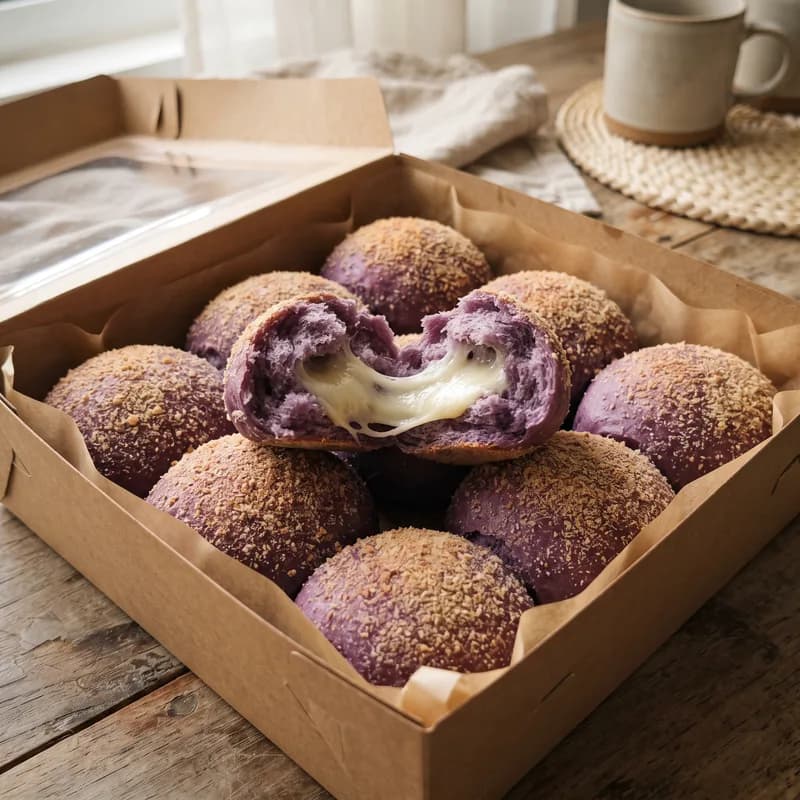
Listings stay live for 12 hours, then unlist automatically. That is a feature, not a bug: buyers trust the feed because everything on it was posted today. Cooking again tomorrow? One tap on Relist for 12h and you are back at the top.
Sold out early? The listing offers to bring it back with fresh stock. Done with a seasonal item? Archive it - it leaves the feed but stays in your list, ready to unarchive next time.
Step 4: Work the order queue
Orders land in Seller orders, sorted into buckets: new, prepping, on the way, delivered. Each card shows the buyer’s unit, contact number, what they ordered, how they are paying, and when they want it (ASAP, a scheduled time, or pickup).
- Advance with one tap:confirm, prepping, on the way, delivered. The buyer’s tracking page and notifications update instantly.
- Batch it: heading out with five deliveries? Select them all and mark them on-the-way in one tap.
- Filter by fulfillment: ASAP, scheduled, or pickup chips keep a busy day sorted.
- Cash flow honest: mark each order Paid or Unpaid - independent of delivery status, so a delivered-but-unpaid COD stays on your radar until settled.
- Cancel cleanly: out of stock or buyer unreachable? Cancel with a reason. The buyer is notified and tracked stock restores itself.
Confirm orders promptly: anything left unhandled for 24 hours cancels automatically so buyers are never left hanging. Scheduled orders are graced until their date.
Step 5: Get more orders
Boosts
You get 10 free boosts every month. A boost pins a listing to the top of the community feed for 15 minutes. The play: post when the building is hungry (11 AM for lunch, 3 PM for merienda), then boost right away. Up to 3 boosts run per community at a time; extras queue up fairly. Your community manager can also grant you bonus boosts from the community’s monthly pool.
Reviews and replies
Buyers rate you within 24 hours of delivery. Reply to every review - a gracious reply to a bad one earns more suki than ten perfect scores. Your rating shows on your storefront and follows you in the feed.
Badges
The Verified badge takes a quick ID check (reviewed privately, never shown to anyone). Registered businesses can ask their community manager for the Official Store badge. Both make neighbors order with confidence.
Followers
Buyers who follow your store get a push notification the moment you post. Your dashboard shows your follower count - grow it by being consistent: same days, same quality, easy suki.
The Featured Store slot
Each community has one gold Featured Store card at the top of its page, picked by the manager. Deliver great food and ask for it - or pioneer the community and the slot is yours to award.
Step 6: Know your numbers
Your dashboard tracks today, this week, and this month (Manila time), sales by day, your sold history, unpaid orders with the total to collect, and cancellations. Check the unpaid tile weekly - it is the difference between a hobby and a business.
Not sure your prices are right? Run them through the food costing guide - most new sellers underprice by accident.
Stay in good standing
- Follow your community’s house rules. Managers can warn or suspend sellers, and platform admins handle serious reports.
- Keep it fresh: relist daily instead of letting stale posts sit - the 12-hour cycle rewards active sellers.
- Handle food like a pro: food safety guide.
- Growing serious? Sort your papers early: permits guide.
Common questions
How much does selling on Suki cost?
Nothing. No listing fees, no commission, no subscription. Buyers pay you directly via GCash, Maya, bank transfer, or cash, and you keep 100% of every sale.
Can I sell in more than one community?
Your store lives in one community - the building or village you actually cook in. You can join up to 3 communities as a buyer, and neighbors from your community order from your storefront.
Who sees my contact number?
Only buyers with an active order from you, on their order tracking page. It is never shown publicly on your listings or profile.
What happens when I sell out?
Tracked stock counts down with each order and flips the listing to Sold out at zero, automatically. Buyers can tap Notify me, and when you restock, they get an alert.
What if a buyer does not pay?
Mark the order Unpaid and it stays on your dashboard until settled. For no-shows, cancel with the payment-not-received reason - the buyer is notified and your stock is restored. Repeat offenders can be reported to your community manager.
Can I pause selling for a while?
Yes. Let listings expire naturally (they unlist after 12 hours) or archive them to clear your storefront. Everything is one tap to bring back when you return.
Do I need a business permit to start?
Most home cooks start small under barangay-level requirements and formalize with DTI, BIR, and a sanitary permit as they grow. Read the permits guide for what applies at each stage - it is friendlier than it sounds.
Can I sell things that are not food?
Food is the heart of Suki, but communities also trade tinda - household goods and other neighborly items. Check your community's house rules for what the manager allows.