GCash QR code for a small food business: the 10-minute setup
A scan-to-pay QR means buyers never mistype your number and you never dictate digits over chat while your kawali is on fire. Here is how to generate one, print it, and put it where it earns.
Updated July 10, 2026 · By the Suki Neighbors team
What a GCash QR does for a food seller
A GCash QR codeis a scannable image linked to your GCash account: buyers open their app, scan, type the amount, and the money lands in your Transactions tab in seconds. For a small food business it removes the two classic payment fumbles - mistyped numbers and “send niyo po ulit yung number” chat threads.
It also quietly makes you harder to scam. When payment takes ten seconds by scan, there is no excuse for “I'll pay later” or a suspicious forwarded receipt - and every scan payment is trivially checkable with the 30-second verification habit.
Personal QR vs GCash for Business
Both work for a home food seller. The difference is scale and paperwork:
| Personal QR | GCash for Business | |
|---|---|---|
| Who it fits | Home cooks, weekend benta, pre-orders sa building | Registered stores, carinderia, growing brands |
| Setup | Built into your existing GCash app, ready in minutes | Separate GCash Business app; asks for business details (DTI name helps) |
| What buyers see | Your registered personal name | Your business name - mas mukhang legit sa bagong buyer |
| Limits | Personal wallet limits apply | Higher receiving limits, made for daily sales volume |
| Extras | None - simple send-money QR | Sales reports, staff access, and business tools |
The honest advice: start with the personal QR today, and graduate to GCash for Business when you register with DTI and your volume makes the reports useful. If you are at that stage, the permits guide walks through the registration side.
Generating and printing your QR
- 1
Generate it in the app
In GCash, open the QR section and choose to receive money via QR. The app shows your personal code and lets you save or share it as an image. In GCash for Business, your storefront QR is front and center after signup. - 2
Save the image somewhere permanent
Save it to your phone gallery and back it up. This exact image is what you will print and upload everywhere else, so keep one clean master copy. - 3
Print it big and laminate
Print at least A5 size so it scans from arm's length, add your store name and GCash name above the code, and laminate it or slip it in a plastic sleeve. Kitchen splashes and QR codes are not friends. - 4
Test it yourself
Ask a family member to scan the printed copy and send ₱1. Confirm it lands in your Transactions tab. Now you know the whole loop works before a buyer ever tries it.
Where to display it so it actually gets used
- Order handoff. The laminated card comes with you to every COD-turned-GCash moment at the lobby or doorstep. Buyer short on cash? Scan na lang. This one spot converts the most.
- Packaging insert.A small printed QR slip inside the bag turns this order into the next one: “Salamat po! Scan to pay or to tip, and message us for tomorrow's menu.”
- Your storefront page. On Suki Neighbors, upload your payment QR in Seller settings and it is shown to buyers right at checkout - they scan from the order screen, pay, and upload their receipt for you to verify. No chat ping-pong at all.
- The counter, if you have one. Carinderia or condo stall? Tape it at eye level beside the menu, exactly where the carinderia regulars queue.
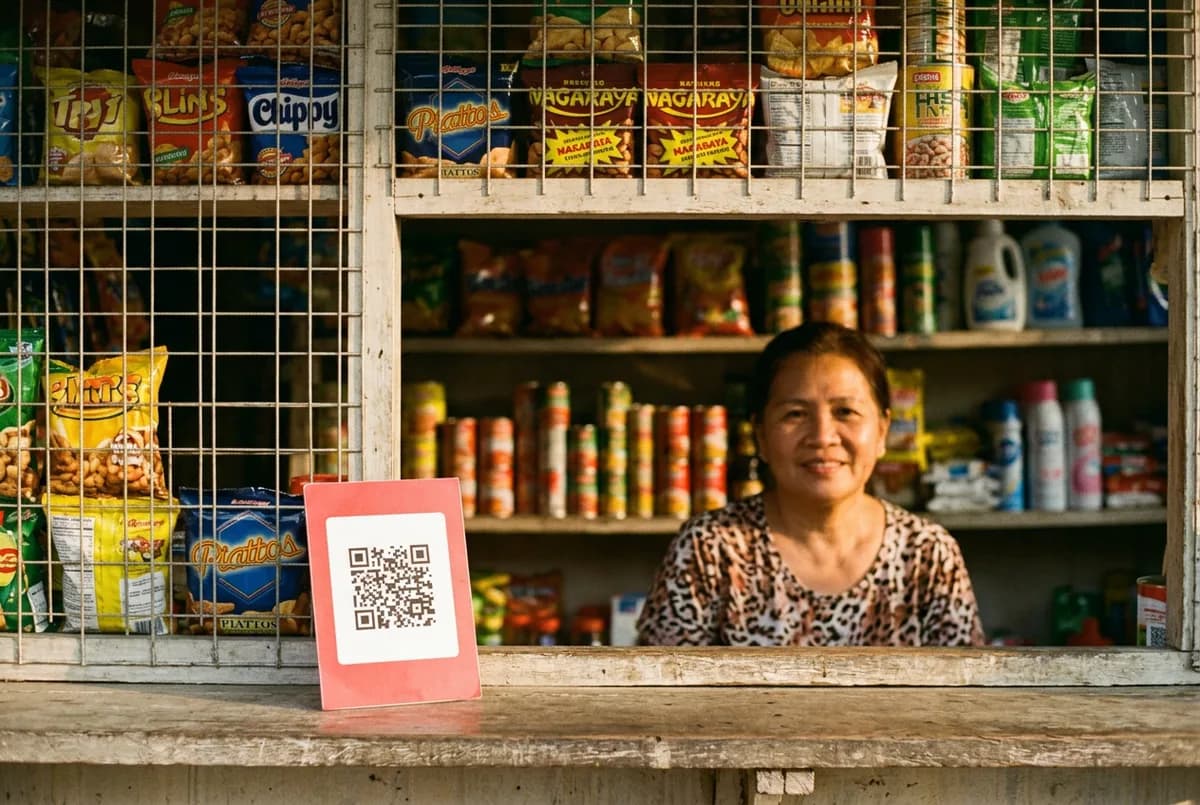
Write your GCash account name on the printout. Buyers double-check the name after scanning, and matching names is exactly the confirmation that makes them comfortable sending to you the first time.
The InstaPay QR note: one code, many apps
Philippine QR payments run on QR Ph, the national InstaPay standard. In practice: a QR Ph code can be scanned and paid not just from GCash but from Maya and most bank apps too. GCash personal and business QRs are QR Ph compatible, so a buyer whose wallet-of-choice is Maya or a bank app can usually still pay your printed code. One laminated card, halos lahat ng e-wallet covered - just remember the money may arrive as an InstaPay transfer, which can take a few minutes longer than GCash-to-GCash before it shows in your Transactions tab.
Putting it to work on Suki
On Suki Neighbors, payment stays direct between you and the buyer - zero commission, no processing cut. Upload your GCash or Maya QR once in Seller settings and every order checkout shows it with your payment instructions. The buyer scans, pays, uploads the receipt; you check your Transactions tab, tap verify, and cook. Pair the QR with sensible rules - down payments for custom and big orders, and a clear COD vs GCash policy - and you have closed the gap where joy reservers live. Full setup walkthrough in the seller guide.
Common questions
How do I get a GCash QR code for my small business?
Open the GCash app and use the receive-via-QR feature to generate your personal code, then save the image. For a registered business, sign up on the GCash for Business app to get a storefront QR under your business name with higher limits. Print it at least A5 size and laminate it.
Should I use a personal GCash QR or GCash for Business?
Start with your personal QR if you are a home cook selling to neighbors - it is instant and free. Move to GCash for Business once you register with DTI and sell daily: buyers see your business name, receiving limits are higher, and you get sales reports.
Can Maya or bank app users pay my GCash QR?
Usually yes. GCash QRs follow QR Ph, the national InstaPay standard, so Maya and most Philippine bank apps can scan and pay them. Transfers from other apps arrive via InstaPay and may take a few minutes longer to appear in your GCash Transactions tab than GCash-to-GCash payments.
How do buyers pay by QR on Suki Neighbors?
Sellers upload their GCash or Maya QR in Seller settings, and it appears to the buyer at checkout with the seller's payment instructions. The buyer scans, pays directly, and uploads a receipt; the seller verifies the money in their own app and confirms the order. Suki takes no commission or processing fee.
Is it safe to post my GCash QR publicly?
The QR itself only lets people send money to you, not take it, so displaying it is safe. The real risks are elsewhere: never share your MPIN or OTP with anyone, and always verify incoming payments in your own Transactions tab instead of trusting receipt screenshots.